I tried the touchscreen Mac before it comes out. Tapping it isn’t the best bit - The Independent
Want to bookmark your favourite articles and stories to read or reference later? Start your Independent Membership today.
Apple has launched its first ever touchscreen computer. But it might not even be the most exciting thing about its new laptop.
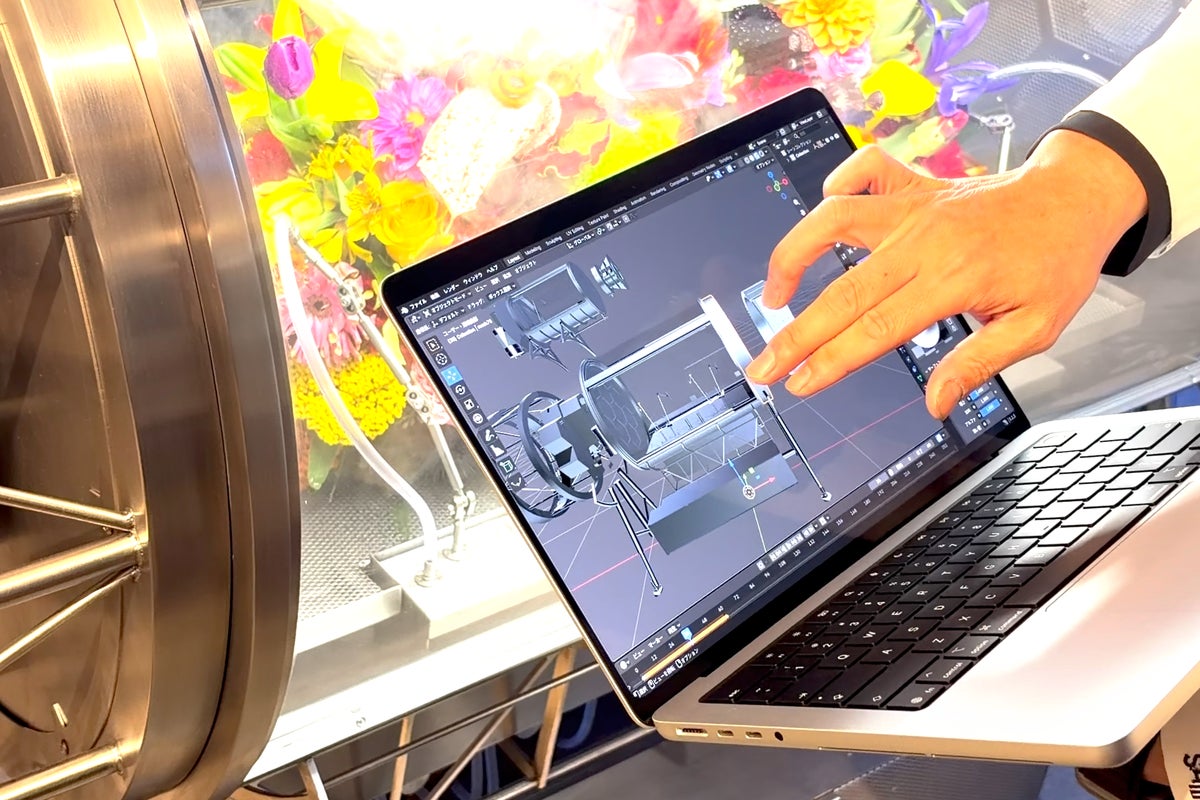
The new computer was introduced at an event in Los Angeles today, and we were among the first in the world to actually get to touch the screen of a MacBook. Doing so is not as you expected, not least because there is so much beyond that experience to get excited about.
The laptop is officially known as the MacBook Pro with PROLED XDR Display, and it starts at £2,899 though can get dramatically more expensive with additional upgrades. It might seem a little odd that the name doesn’t mention the fact that you can actually touch that display – given that it’s the thing people are talking about, since it’s the first time it’s available on a Mac – but once you use it, it makes perfect sense.
Here are our first impressions from some time with the new computer, using it both in its normal form and as a touchscreen laptop.
As the long and unexpected name perhaps suggests, the new MacBook Pro contains Apple’s best ever display by far, and it is obvious from the moment you first see it. That is largely because it is the first time that Apple has used OLED technology in its laptops – and it is a particularly good version of that technology, too.
The most notable thing about OLED displays, which you can already find on the iPhone and some iPads, is that each pixel lights up, so that there is no backlight in the display. That in turn means that the blacks can be truly black, because the pixels are switched off, rather than the approximation of black you will find on the LCD displays that power existing MacBooks.
Just as those blacks really are black, the bright parts of the display are especially bright; taken together it means that the display has astonishing contrast, so much that it can be a little dazzling, if it needs to be. Add to that Apple’s rich and precise colour technology and you get an astonishingly brilliant (literally) display.
The redesign around the OLED display has also allowed Apple to make a range of other changes, many of which are surprisingly nice. You now get the Dynamic Island in the top of the display, like on the iPhone, so you get more screen to use and information when it is needed; the MacBook is noticeably lighter; and the Apple logo on the back now glows again, which is both entirely useless and quite delightful.
And then, after you’ve taken in all those changes, you touch the MacBook Pro’s screen. And it makes for an experience that is both wonderful and slightly confusing, and which might matter a lot less than we thought.
Macs aren’t meant to be touched: they are built as an indirect input device, to be controlled through a keyboard and mouse or trackpad, and everything about their hardware and software design points in that direction. What’s more, it is practically difficult, something that has been pointed out by Apple’s own executives including Steve Jobs (who called it “ergonomically terrible”) and new CEO John Ternus.
As soon as you use the new MacBook Pro, it’s very clear that this is still not a computer that is primarily meant to be touched, and in fact there is nothing obvious that indicates it has been designed for touch at all. All of MacOS initially looks the same, for instance, and there is nothing about the display that indicates any kind of touch affordance, or compromise.
It means that everything you do initially seems a little extravagant. You can use your finger to do anything you usually would with a trackpad – zoom, scroll, select and move, for instance – but it is not immediately obvious why you would.
As well as those more obvious uses, however, there are more unexpected but perhaps more useful ways of interacting with the Mac. You can use it to expressively play musical instruments in the way you might on an iPad, for example, and developers can use it to test out how their iPhone apps will actually work, as they make them.
All of these are neat, and so are the little touches that Apple has added to make them a little more easy to do, such as making particularly small buttons expand when you press them so you can be careful about where you touch. But in the short amount of time we had with the device, it was hard to say whether they are just neat – whether they just offer an additional, occasional way of interacting with your Mac, or something else entirely, and besides it may very well vary from user to user.
There are of course downsides to touching your display. Both of them are fairly obvious – and you might actually have experienced them already.
The first is the most obvious, and will be familiar to anyone who has touched their screen before (or had someone do it to them, while pointing something out on the display, for instance): it picks up fingerprints. Apple hasn’t got rid of the problem entirely, though in my time with the MacBook it wasn’t obvious at all when the display was on, and hard to see even when it was.
In fact, the fingerprints were about as visible as they would be if you touched any other laptop screen now, or indeed an iPhone or iPad. The trouble, of course, is that they’re a little harder to clean off – you can’t just rub the laptop against your trousers, or at least not without some gymnastics – but it does come with a cloth that makes it easy.
The second problem is that tapping the screen also means pressing it; the screen will bounce back and forth a little if you give it a determined jab. Apple has done some work in this regard to strengthen the hinge so that the bouncing is less obvious, but it is still there.
Once again, however, this sounds much more worrying than it is in real life: when you’re the one doing the pressing, you don’t really notice it at all, and it takes a bit of force to make it happen anyway. Just as with the fingerprints, it’s fine.
Perhaps this will be how the touchscreen turns out too: dramatic in theory, relatively minor in practice. At the very least, it is a nice little change that could make life a little easier and work a little faster – and it might end up being something more as users start trying it out and developers start building their apps around it.
On first impressions, with just a short time using the device, it is too early to tell either way. But it also doesn’t particularly matter.
Because the MacBook Pro with PROLED XDR Display is not just Apple’s first touchscreen Mac. That might actually be about the third most interesting thing about it.
It is a powerful laptop with the best display ever seen on a computer of its kind, and a modest fix to little remaining troubles such as the weight and size of its screen. It also happens to potentially be a total rethink of what a MacBook actually is.