Beware of malware targeting computer users via hijacked WhatsApp accounts - The Straits Times
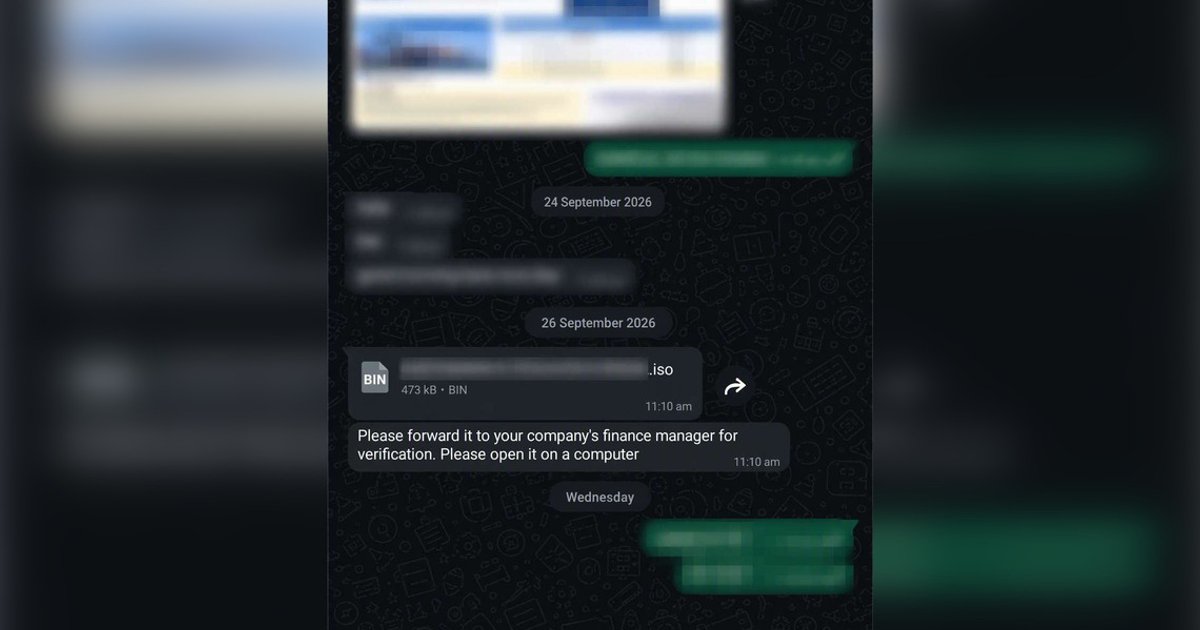
Victims receive messages from compromised WhatsApp accounts belonging to friends, colleagues or bosses.
SINGAPORE – Be on alert for scams circulating on WhatsApp in which hackers use hijacked accounts belonging to friends, colleagues and bosses to target computers.
While no money has yet been reported lost to the scam, victims risk having their personal information stolen, the police warned in a statement on Nov 2.
In this scam variant, victims receive seemingly legitimate or work-related file attachments – with file names such as “Invoice 2026-09-15.iso”, “Statement of Account_54d3.zip” or “Salary Revision.rar” – from contacts whose WhatsApp accounts have already been hacked.
The recipients are told to open the files on a computer, typically under the pretext of reviewing work documents, or are asked to forward them to finance managers.
Those using WhatsApp Desktop or WhatsApp Web who fall for the ruse end up downloading malware directly onto their computers.
Once the file is opened, the malicious software is installed in the background and is able to record keystrokes, take screenshots and communicate with external hacker servers, allowing fraudsters to control the victims’ computers.
These cyberattackers can then take over the victims’ WhatsApp accounts to distribute the same malware to other contacts or ask for money under the guise of borrowing funds.
Victims may discover the breach after noticing abnormal behaviour on their devices or receiving alerts from their WhatsApp contacts who have received suspicious messages from them, the police said.
Scams remain the dominant crime type in Singapore, with $410.6 million lost to these ruses in the first half of 2026 alone.
Eight in 10 victims are still being manipulated into handing over funds to scammers, with seniors aged 65 and above suffering the highest losses on average across all age groups, police statistics show.
The police urge the public to enable two-step verification on WhatsApp, routinely disconnect unrecognised devices under “Linked Devices”, install ScamShield and use banks’ “Money Lock” features.
Refrain from opening unexpected attachments, even from known contacts, without verifying the request via a phone call or separate channel, the police said.
Anyone with doubts or scam-related queries should call the 24/7 ScamShield Helpline on 1799.
For more information on scams, go to www.scamshield.gov.sg